
This article outlines steps to book a company resource on your Google calendar.
Note: You do not need to have access to fully manage a calendar in order to book the resource.
-
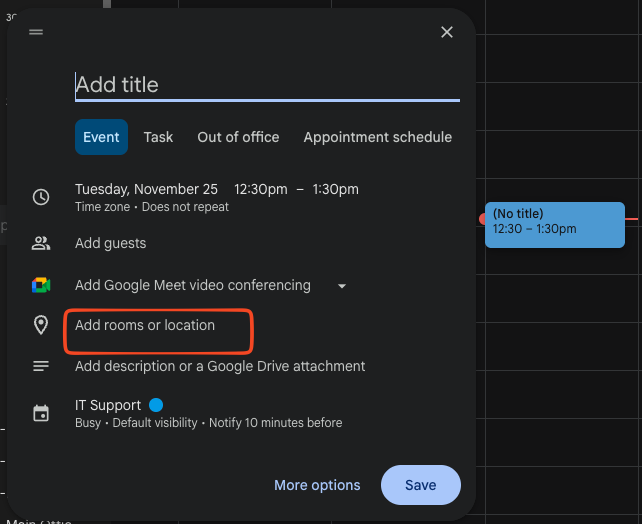
In calendar.google.com with your personal calendar open, select a date and time on the calendar where you want to reserve a room or resource
-
Select “Add rooms or location”
-
You’ll see availability based on the number of participants in your event (if needing a conference room for example) as well as features available (such as Zoom)
-
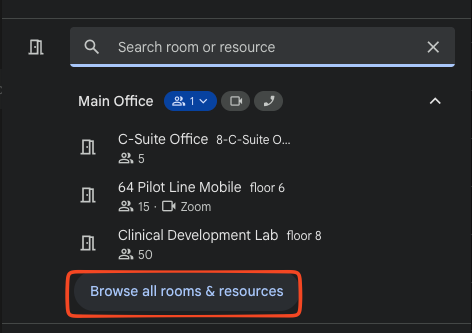
Select “Browse all rooms & resources” if you do not know exactly which resource you are booking
-
-
Once complete, you should add any additional video conferencing if needed and save the event.
-
If enabled, your reservation should be automatically accepted. If it is declined, it means the resource is already in use. You may need to adjust the time of your reservation or the room if you are unable to adjust the time.