
This article outlines steps needed to set up secure 2-Factor Authentication (2FA) or 2 Step Verification (2SV) on your Google Workspace account
-
Navigate to https://myaccount.google.com/signinoptions/twosv and sign in using your credentials
-
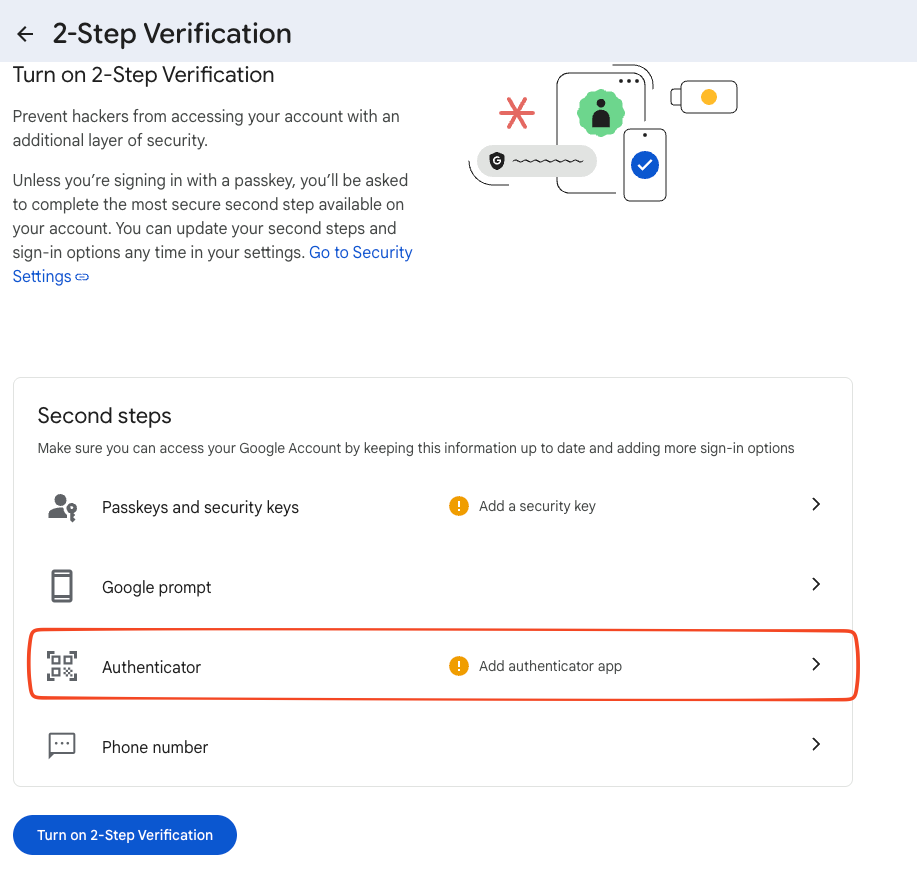
Select “Add Authenticator App”
-
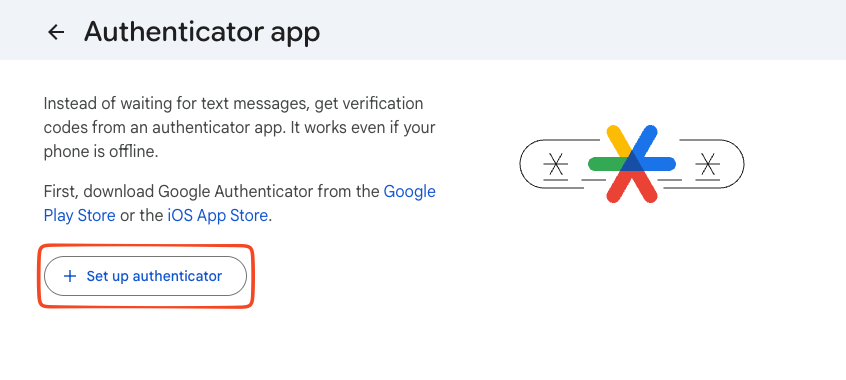
Select “Set up authenticator”
-
Using your authentication app (1Password, Google Authenticator, etc.) scan the QR code on the screen to begin setup
-
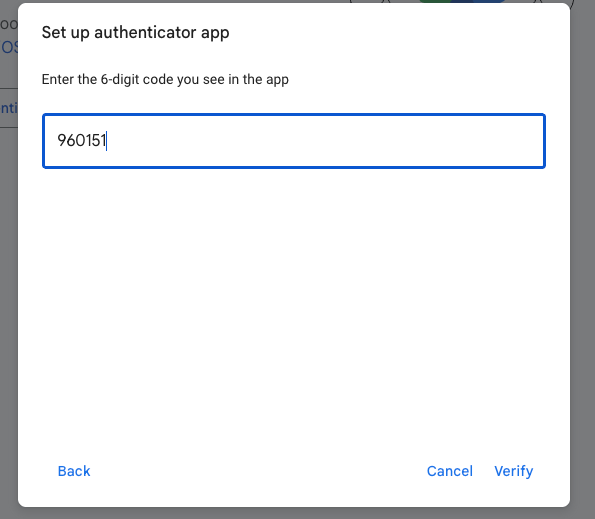
Input the authentication code generated by your app and choose “verify”
-
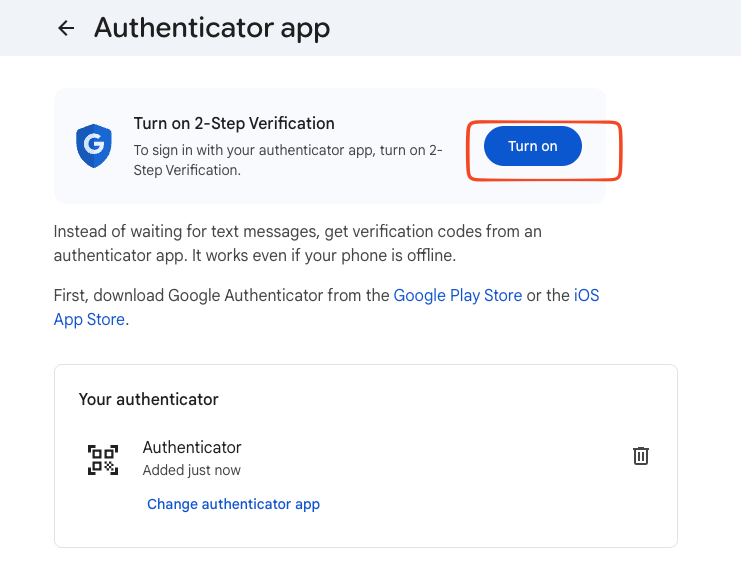
Finally, “Turn On” 2 Step Verification
-
Going forward, when you sign in to your account for the first time in a browser or device, you will be prompted to input this code